Windows
BPSR Custom PFP Lite
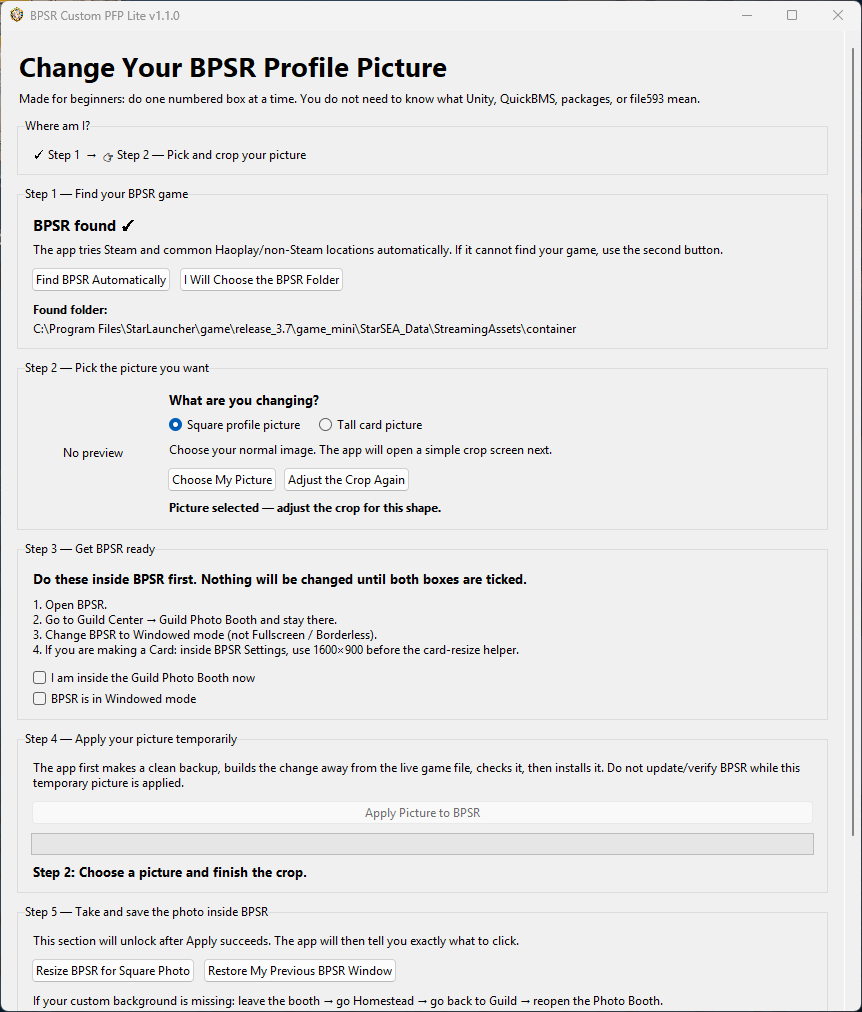
Prepare a custom Blue Protocol: Star Resonance portrait or card with cropping, numbered instructions, backup and restore controls.
What it does
- Square portrait and card workflows with image cropping and repositioning.
- Game-folder and picture-slot detection, with manual fallbacks.
- Install-specific backups and a guided restoration step after capture.
Quick start
- Download and extract the Windows ZIP, then open the app and select your BPSR folder.
- Choose and crop your image. Follow the numbered steps to save the portrait or card in BPSR.
- Restore the original game file when finished. Keep the backup until restoration is confirmed.